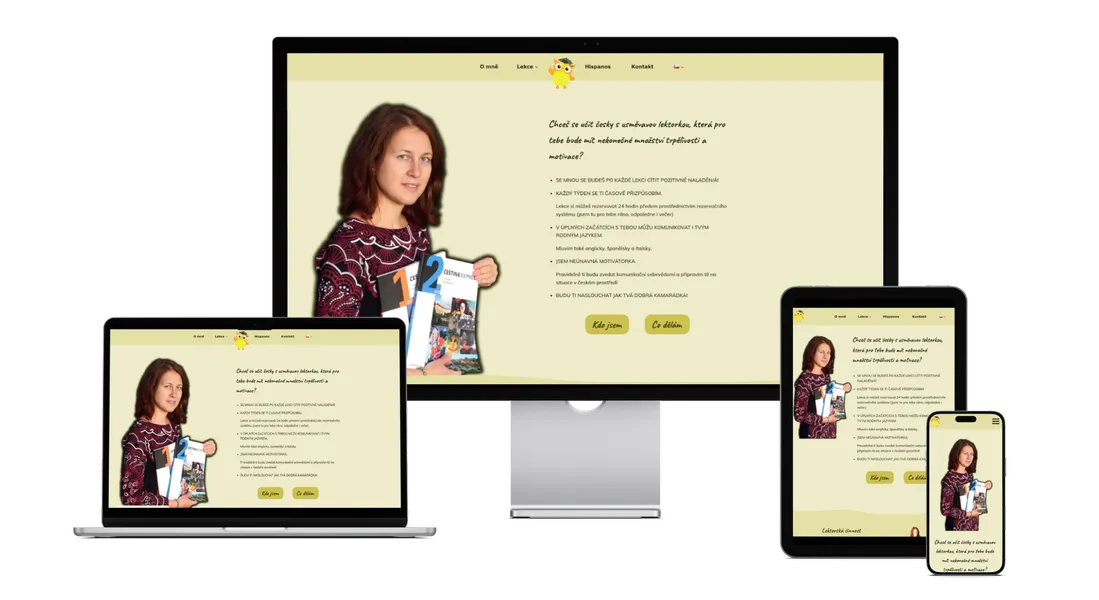
Client expectations
The client wanted to convey information about her lessons and enable online lesson reservations with the highest degree of automation possible.
She had a clear brand, according to which she wanted to create the web design. She also had content - main photographs and texts.
Website pages
I created the website so that it would naturally guide the client from the first information gathering to lesson reservation.
The main menu is simple and straightforward - home, who I am, lesson offerings, blog, eBook and contact. No unnecessary elements.
Information is structured "pyramidally" - you start with the most important and gradually get to details. At each level, you can decide whether you want to know more or already have enough information to make a decision.
I supported this approach visually using cards and sections with subtly shaded backgrounds.
Multilingual website as foundation for international audience
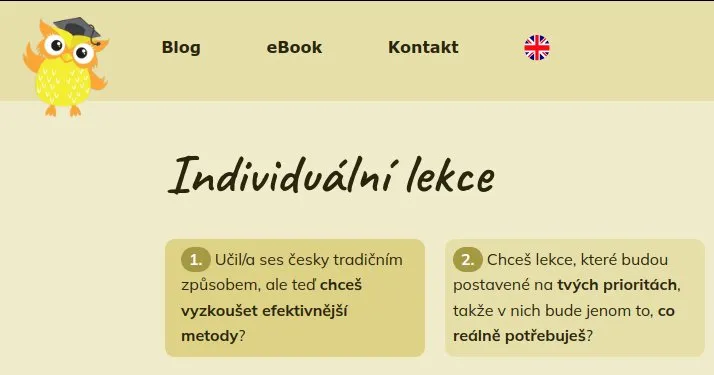
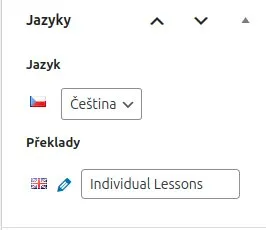
If you're teaching Czech to foreigners, your website must be available at least in English. For multilingual solution, I chose the WordPress plugin Polylang, which offers an excellent ratio between functionality and content management simplicity. I solved language switching elegantly through a flag in the main menu.
You always see only one flag - for the language you can switch to. In the Czech version, you see the British flag and after switching to English, you see the Czech flag again. No unnecessary additional elements.
What I like most about Polylang? It gives me freedom in how I work with content. I can have absolutely identical content in each language version, but I can also adapt it directly for the given audience.
This is useful, for example, when you want to explain something differently to Czech version visitors than to English version visitors.
It's also useful for two languages where word lengths differ significantly - typically German, where you usually need to "adjust" the original design a bit so it still looks good.
The disadvantage of such a solution is that you have to maintain two website versions - when you significantly change the website in Czech, you should transfer the changes to the English version as well.
Polylang is free if you don't have WooCommerce (e-shop plugin) on your website and don't need to use advanced URL display options or utilize automatic translations (DeepL).
Simple reservations through proven service
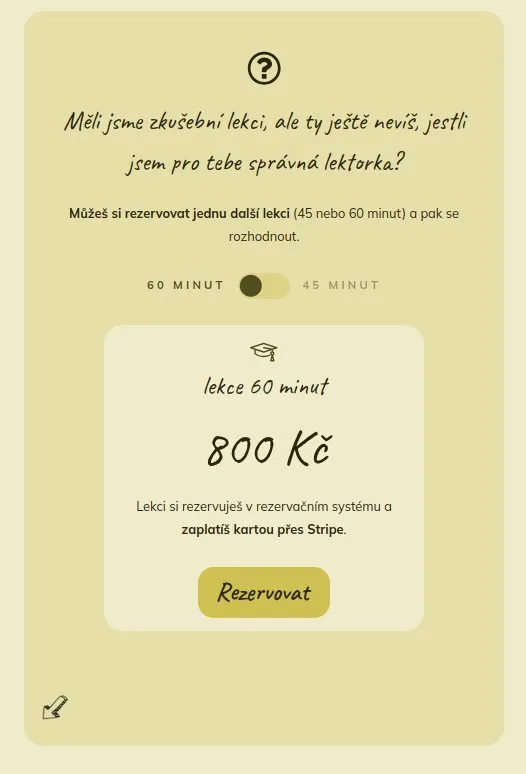
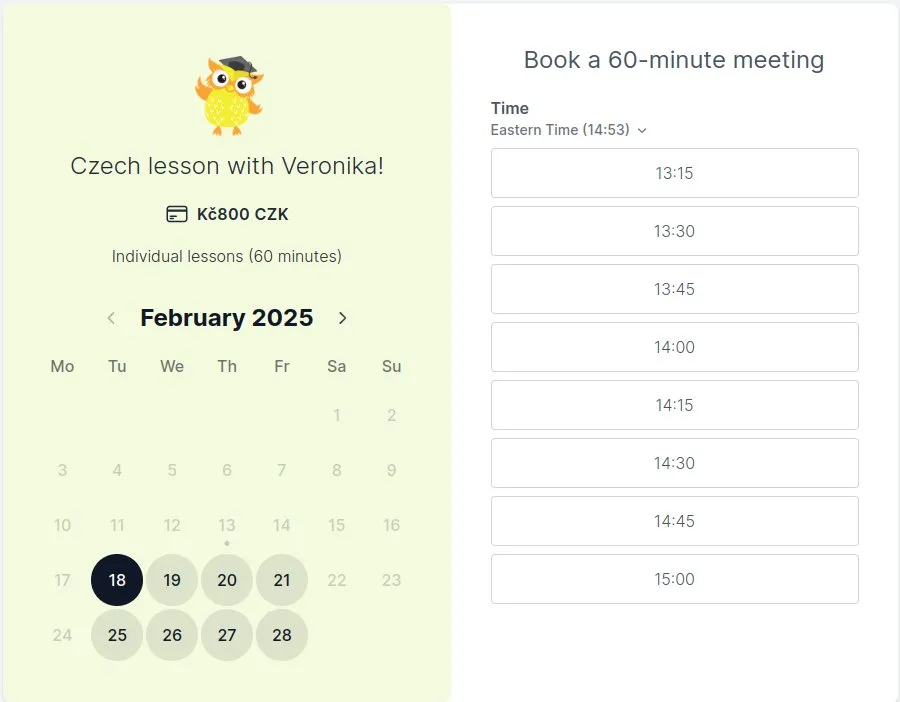
For lesson reservations, I chose the external service Koalendar. Why? Because I don't want to unnecessarily burden the website with functions that someone has already solved better.
Koalendar is a specialized tool for reservation and payment management that has proven itself to many professionals. Compared to competition, it has a clear financial policy - basically free or for about 2000 CZK/year in full version (Stripe payments, better branding, ...).
On Koalendar, you can set up minimalist pricing, but with everything needed.
Lesson reservation is simple: the student chooses a date, time, fills in basic information (name, email), agrees to terms and confirms the reservation with card payment through Stripe payment gateway. Stripe takes 6.5 CZK fixed + 1.5%. But you don't have to haggle with anyone about price, remind about payments... definitely worth those few crowns. No virtual assistant will work 24/7 for that. 😉
According to the tax advisor, payment gateway fees are not reported in tax returns to identified persons (like FB ads or Mailerlite payments etc.).
In Koalendar, you can also set what should happen after successful reservation - you can send an email to the student, but also redirect them to a thank-you page where you can show additional information. HappyOwl doesn't use this.
Service packages
If a student wants to use a more advantageous package of multiple lessons, they arrange payment by transfer directly with the instructor. The student then receives a special code that they enter into the Koalendar form. With it, they can then reserve lessons without further payment.
The system is connected to the instructor's Google calendar, so they always see truly available times.
Students can reschedule their reserved lessons up to 24 hours before the lesson starts. All this can be set in Koalendar. Koalendar also sends automatic reminders - 24 and 1 hour before the lesson. Again, this can be set. In the confirmation email, the student also receives a Zoom link and a link to change the lesson time.
Clear path to lesson reservation
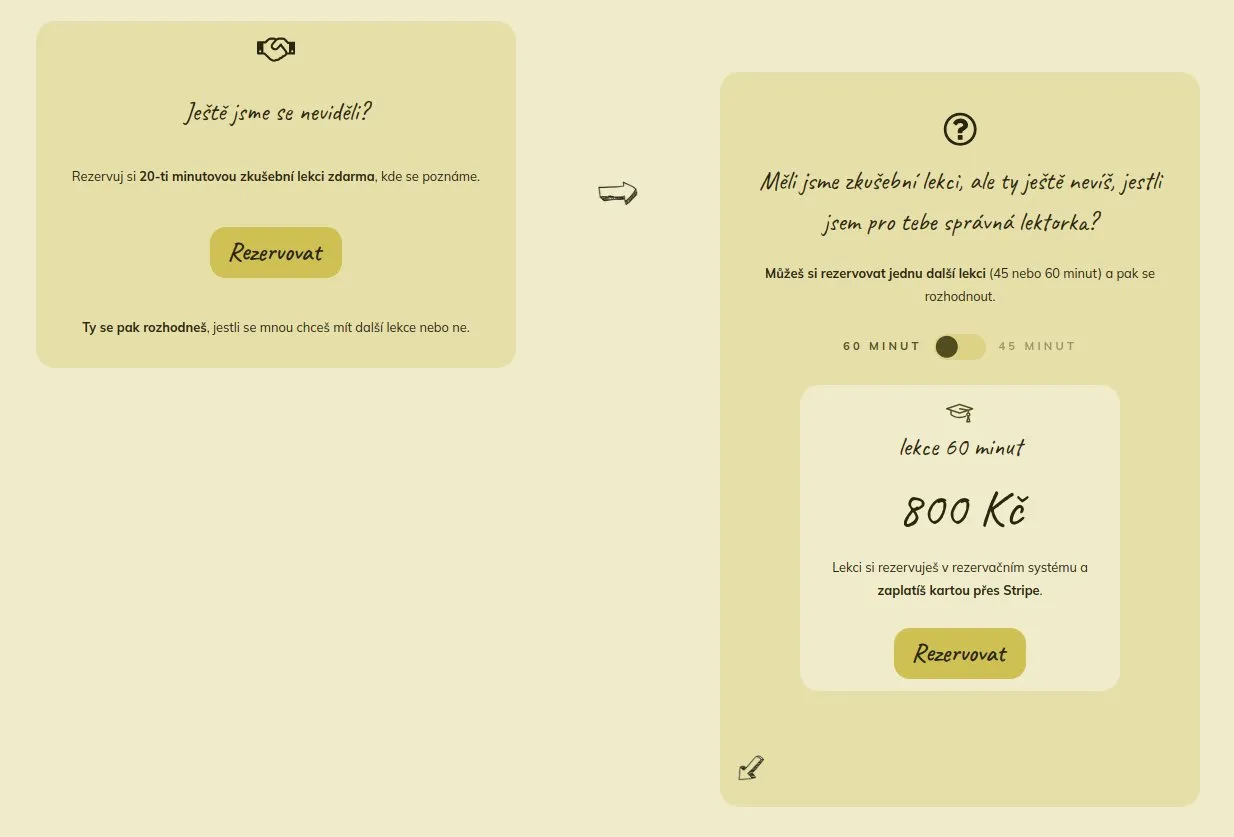
With individual lesson offerings, the biggest challenge was the lesson reservation structure and student journey. The client didn't distinguish between these in her website notes. When I separated the information, everything became clearer.
For new students, the path is clear - they start with a free 20-minute trial lesson. This is followed by the opportunity to try one paid lesson to ensure this teaching style suits them. Only then comes the offer of more advantageous packages.
For those who already know they want more intensive collaboration, I created a clear package comparison.
Each package has its card with clearly stated number of lessons, their frequency and price. Used icons help quickly understand differences between individual variants.
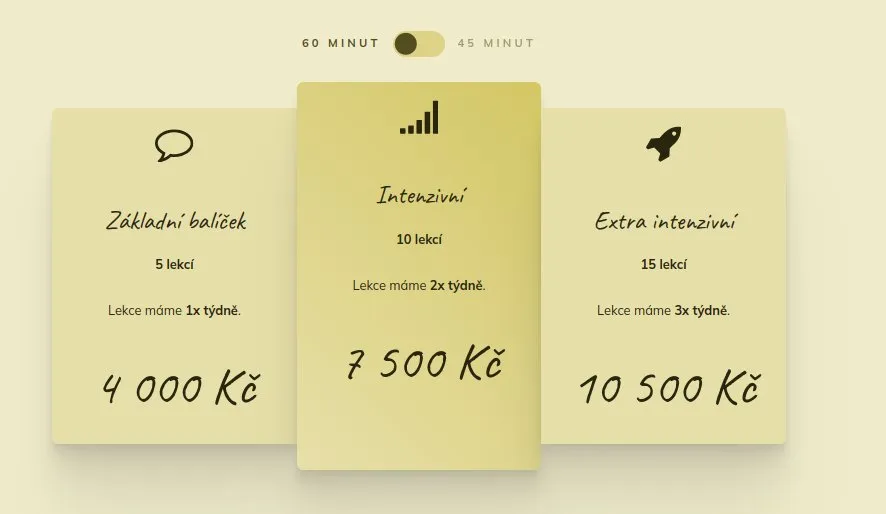
At the same time, the instructor prefers 10-lesson packages, which are "suggested" to the student through graphics.
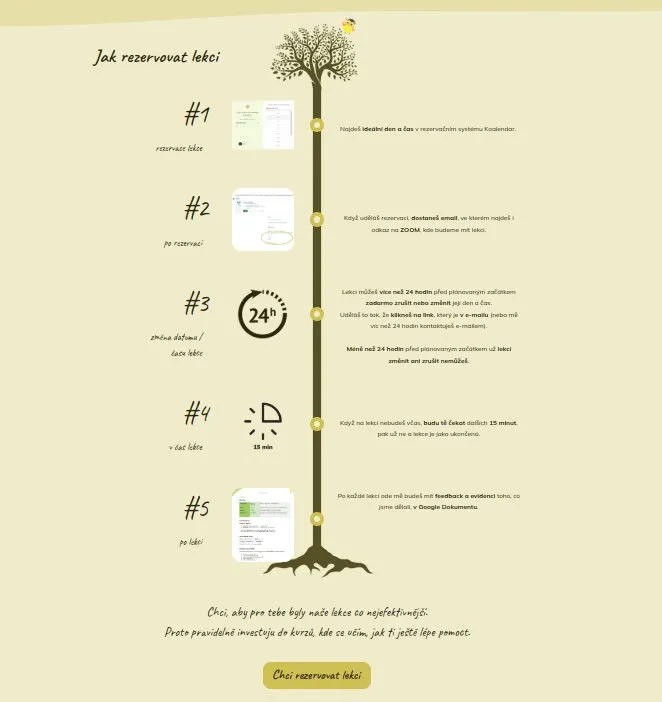
At the end of the page, I placed a practical reservation system guide in tree form (owl symbolism). From the tree trunk grow "branches" with reservation step cards.
Fast and secure website built on solid foundations
The website runs on reliable (rather premium) hosting exon.io.
Security is a priority for me, so I implemented several layers of protection: Wordfence for active security, security headers and disabled potential vulnerabilities like xmlrpc.
Data is protected by automatic weekly backups to Google Drive.
Oxygen builder allows me to create clean code without unnecessary ballast. The result is a fast website - for example, the key individual lesson page has only 30 kB CSS and without analytical tools only 50 kB JavaScript. I use it only for functional elements like smooth menu scrolling or effective card flipping with packages.
Therefore, there's no need to resort to solutions like CSS or JavaScript minification.
For spam protection, I chose an unobtrusive but effective solution WP Armour. Unlike recaptcha, it doesn't kill the website with lots of JavaScript. The website collects analytics through Google Tag Manager, which is connected to Google Analytics, Facebook Pixel and Microsoft Clarity - thanks to this, the instructor has a detailed overview of visitor behavior on the website and can further improve it.
The website is of course fully responsive and contains a consent bar for GDPR compliance.
Thoughtful email strategy and digital marketing
Part of the website is connection to the Mailerlite email platform:
The main lure into the database is a valuable e-book for Czech students, which visitors get in exchange for their email. It contains curated tips for podcasts, adapted books, videos etc. This helps build a database of potential students.
Regular monthly newsletter then maintains contact with those interested in teaching and supports long-term relationships. A separate form for its subscription is placed on the website.
The website is not just a technical solution
The website is not just a technical solution - it's a comprehensive digital marketing tool. From email strategy design to its complete setup.
After consultation with me, the client decided to also focus on emailing, which she had me set up. Thanks to this, she could fully utilize her potential and not worry about the technical side of things.
The entire project shows how important it is to approach website creation comprehensively. It's not just about nice design or technical solution - the website must primarily work for the client and clearly convey information.
Looking for a website that will work independently for your business?
I'd be happy to help you create a solution tailored to your needs. I focus on WordPress websites with emphasis on:
- Structure
- Speed
- Automation of routine activities
- Connection with marketing tools
- Security and reliability
Contact me and we'll discuss how a website could help you specifically.